
VoxForge
VoxForge
Create a new directory in your home directory called 'bin', it
should have the following path (replace yourusername with the username
you are using on your system):
Get the tarball of the most current version of the Julius source files.
and save it to your new bin directory.
Extract the file using:
this should create a julius-4.3.1 directory in your bin folder.
After unpacking the sources, open a command line terminal and go to the /hom/yourusername/bin/julius-4.3.1 directory where you downloaded your files.
The default location for binaries is "/usr/local" which will put the tools in "/usr/local/bin". You need to change this default location using the "./configure" script to specify where you want the binaries installed:
$./configure --with-mictype=alsa --enable-setup=standard --prefix=~/bin/julius-4.3.1 |
(Note: ~/bin/julius-4.3.1 points to /home/yourusername/bin/julius-4.3.1)
This directs the make command to put all your binaries in the following folder:
you will need the .686 version of alsa-lib as root:
|
# yum install alsa-lib-devel.i686 |
then add a flag before you run the Julius configure to tell your gcc compiler to compile 32-bit binaries:
|
$ CFLAGS=-m32 ./configure --with-mictype=alsa --enable-setup=standard --prefix=~/bin/julius-4.3.1 --host=i686-generic-linux-gnu |
To build the libraries and binaries, execute the following:
|
$make all |
Running the following command will install them:
|
$make install |
To update your user path, you need to add the '$HOME/bin/julius-4.3.1/bin' path to your path variable. To do this, edit your '.bash_profile' file in your home directory (in Fedora you need to show 'hidden files' in Nautilus - so you can display file names with a period in front of them) and add a colon (":") and this path to the end of the PATH variable (leaving the rest of it unchanged):
| # User specific environment and startup programs PATH=$PATH:$HOME/bin/julius-4.3.1/bin |
Log out and log back in to make your path change effective.
Cygwin is a Linux-like environment for Windows. It contains the Bash Shell scripting language and the Perl scripting language. Both are required to run the HTK Acoustic Model build scripts.
Note: that this is not the full Cygwin application. It is just the setup application that lets your download Cygwin from the Internet;
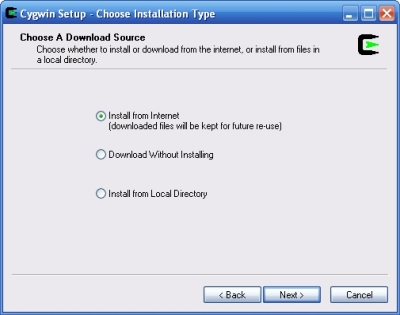
Select install from the Internet:
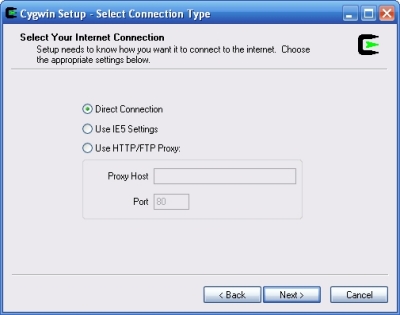
Select Your Internet Connection - 'Direct Connection' should work OK;
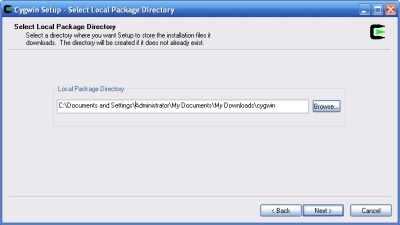
Use the default local package directory:
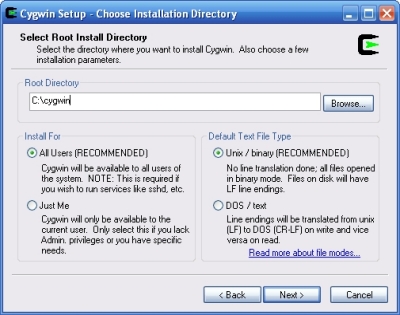
On the Choose Installation Directory Window:
Choose a Download Site;
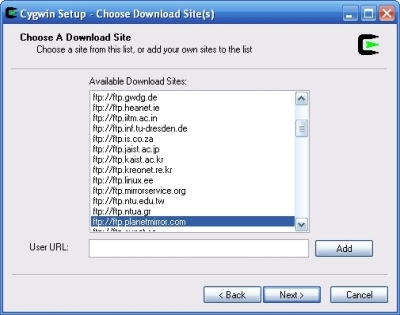
When the Select Packages window appears:
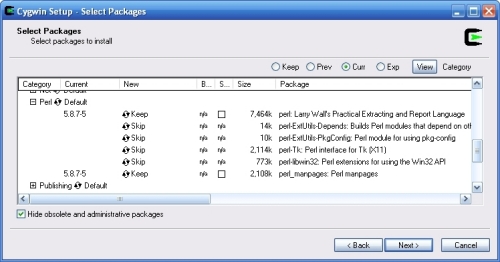
Next, while still in the Cygwin Select Packages window:
Click the 'Next' button and wait as the files download to your PC - this may take a while.
see top post.
see here: Chapter 2 of Julius book